
A home office is not just a desk and a chair shoved into a corner. It is the room where you earn your living, take your most important calls, and spend roughly a third of your waking hours. Yet most of us set ours up in an afternoon with whatever furniture was closest, then spend years wondering why our back aches, our eyes are tired, and we feel vaguely uninspired every time we sit down to work. The fix is not a full renovation. It is a series of small, deliberate decisions that add up to a space that helps you focus and actually feels good to be in.
These 17 home office ideas are built for real American homes: apartments with one spare corner, suburban houses with a room that pulls double duty, and everything in between. Each idea balances the two things a home office has to do at once: support real work, ergonomics, lighting, storage, and connectivity, and look like a room you chose on purpose rather than a storage closet with a laptop in it. Whether you have an entire room or six square feet, start with the ideas that solve your biggest frustration first, then layer in the rest. Your future self, the one who does not dread Monday mornings, will thank you.
1. Start With the Right Chair
You sit in your office chair for six to ten hours a day, which makes it the single most important purchase in the room. A chair that fits your body properly supports your lower back, keeps your feet flat on the floor, and lets your shoulders drop instead of hiking toward your ears. Look for adjustable seat height, lumbar support you can actually feel, armrests that move out of the way when you pull up to the desk, and a seat pan deep enough that there are two fingers of space behind your knees. These are not luxury features; they are the difference between ending the day energized and ending it in pain.
Test a chair the way you will actually use it, not the way the showroom suggests. Sit in it for at least fifteen minutes, lean back, swivel, and notice where pressure builds. If you are working from a spare bedroom, measure the chair against the desk height before you buy, because a tall ergonomic chair paired with a standard 30-inch desk leaves many people hunching upward. Renters and budget builders should know that a well-chosen task chair in a neutral fabric reads just as well on a video call as a designer chair, and it costs a fraction of the price.
Products to Consider:
- Ergonomic task chair with adjustable lumbar support
- Seat cushion with memory foam layer
- Under-desk footrest for shorter users
2. Put the Desk Near the Window
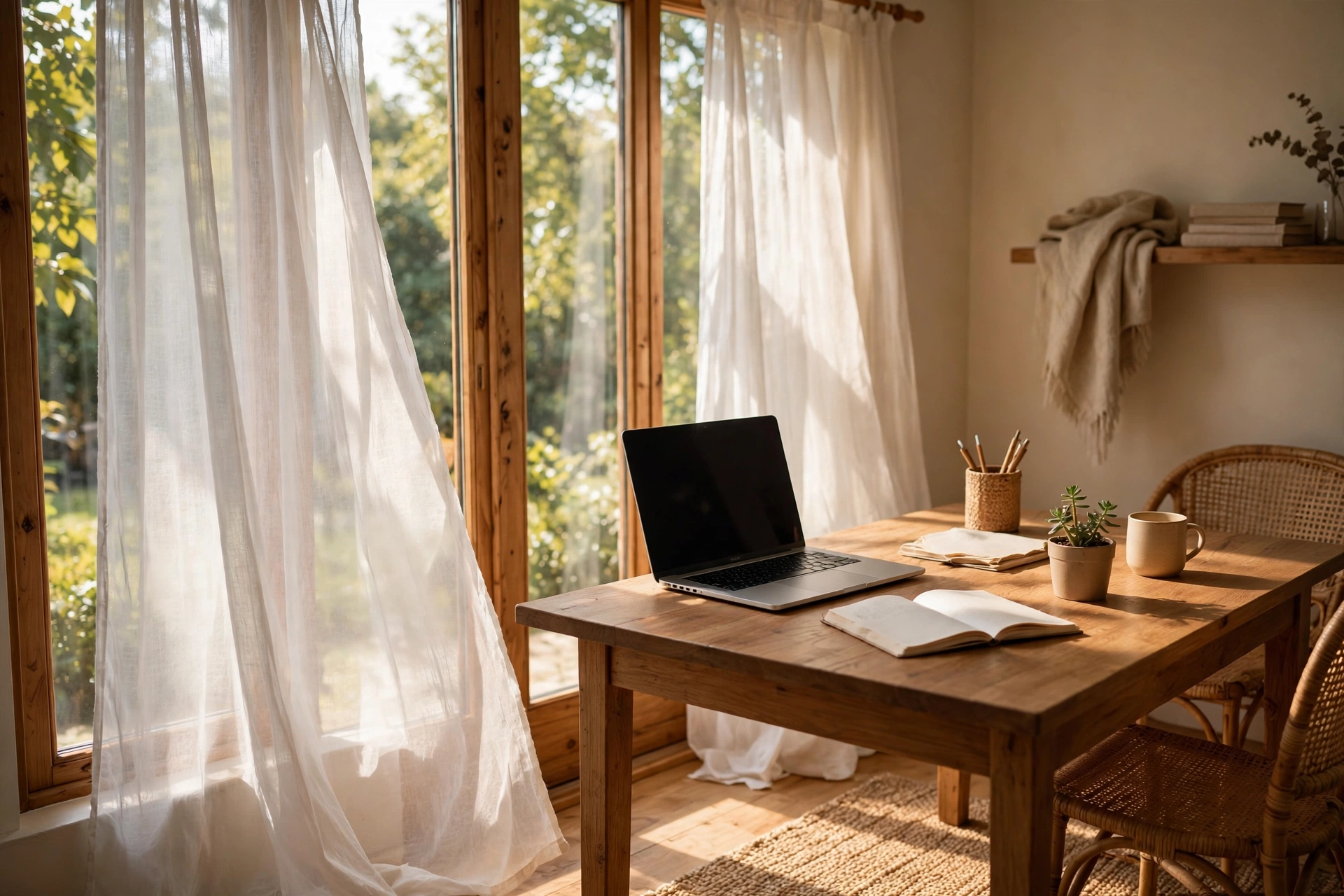
Natural light is the cheapest productivity upgrade available. A desk placed perpendicular to or facing a window gives you daylight on your work surface, a view for your eyes to rest on, and a natural rhythm that keeps your energy steadier through the afternoon. Researchers have consistently found that workers near windows sleep better and report higher well-being, which matters enormously when your commute is a hallway. Even a modest window in a spare bedroom can anchor a whole workspace if you let the desk face it instead of a blank wall.
Mind the glare. Direct sun on your screen creates squinting and washed-out video calls, so position the desk so the window is to your side or slightly behind the monitor, and add a light-filtering shade or sheer curtain for harsh midday sun. If your window faces south or west in a warm climate, the afternoon heat can make the desk zone genuinely uncomfortable; a simple blackout or cellular shade solves it while insulating the room in winter.
Products to Consider:
- Light-filtering cellular window shade
- Sheer curtain panels, white
- Daylight-spectrum desk lamp
3. Layer Your Lighting Like a Pro
The single harsh overhead light found in most spare bedrooms was designed for folding laundry, not for eight hours of screen work. Good office lighting is layered: ambient light for the room, task light for the desk, and a warm accent for atmosphere. Aim for around 300 to 500 lux at the desk surface, which most people achieve with a good desk lamp plus the room’s ceiling light, and keep color temperature consistent across fixtures, 3000K to 4000K for a clean, alert feel during work hours.
Place your task lamp on the opposite side from your writing hand so your hand does not shadow your notes, and choose one with an adjustable arm and head so the light lands on the work, not in your eyes. A floor lamp with a linen shade in the corner lifts the whole room for video calls by softening shadows on your face, which is far more flattering than a bare bulb overhead. Add a small accent, a plug-in wall sconce or a lit shelf, if the room pulls double duty as a guest room, because warm evening light is what makes the space feel like a real room instead of a fluorescent cubicle transplanted into your house.
Products to Consider:
- Adjustable-arm LED desk lamp
- Arc floor lamp with linen shade
- Smart LED bulbs, 3000K to 4000K
4. Pick the Right-Sized Desk
Most people buy a desk by looks and regret it by dimensions. Before you shop, audit what actually lives on your desk: laptop or monitor, keyboard, phone, notebook, coffee, lamp, and whatever else creeps in by 3 p.m. A laptop-only worker needs about 40 inches of width; add a 27-inch monitor and you are up near 55 to 60 inches. Depth matters just as much, since 24 to 30 inches lets you push the screen back to a healthy arm’s-length distance. Measure your floor space, tape out the footprint with painter’s tape, and live with the outline for a day before you order.
In small rooms, a desk with visible legs beats a bulky pedestal desk because you can see floor beneath it, which keeps the room reading open, the same visual-lightness principle that makes small-house living rooms feel larger when furniture floats off the ground. If you need storage, choose a desk with one shallow drawer or a side return rather than full pedestals, and let a separate small cabinet handle the filing.
Products to Consider:
- Solid wood writing desk, 55-inch
- Wall-mounted folding drop-leaf desk
- Slim console desk with lower shelf
5. Claim a Corner With a Floating Desk
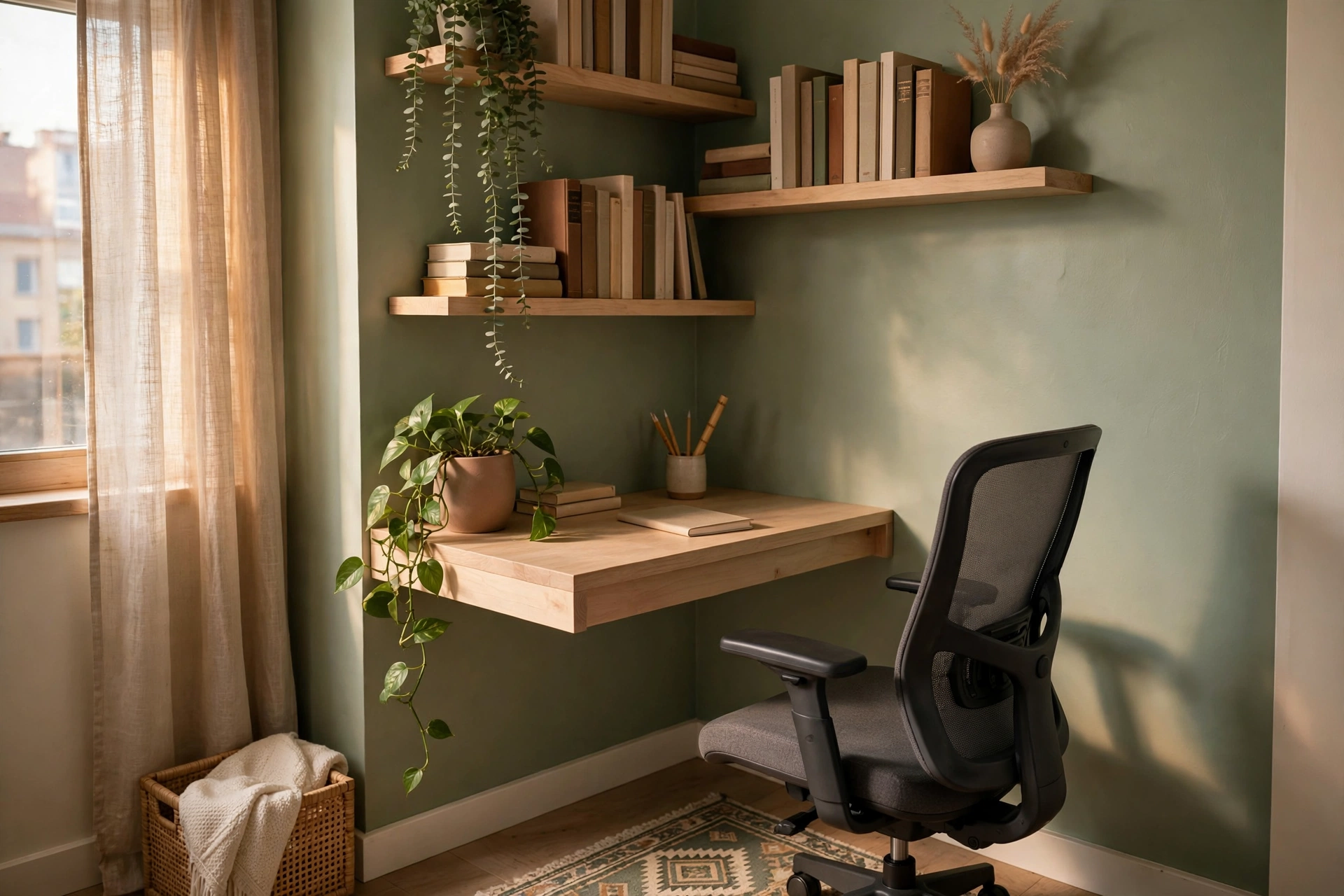
Not every home office gets a room. If you are working from a studio apartment, a shared bedroom, or the corner of a living room, a floating desk is the most elegant way to claim a real workspace without sacrificing floor space. A wall-mounted desk surface, even one just 20 inches deep, gives you an honest work zone that reads as intentional rather than improvised. Mount it at a height that works with your chair, usually 28 to 30 inches, and add two or three floating shelves above it for the items that would otherwise colonize the desk surface.
The trick to making a corner office look like design instead of desperation is finishing the zone. Paint the wall behind it an accent color, hang one piece of art above the shelves, and add a small rug to define the footprint, and suddenly it is a workspace with a boundary. Keep the surface sacred: no mail, no laundry, no charging cables for other people’s devices.
Products to Consider:
- Wall-mounted floating desk with drawer
- Set of 3 floating wall shelves
- Small area rug for zone definition
6. Hide the Cables for Good
Nothing makes a home office look chaotic faster than a tangle of cables drooping behind the desk. Beyond looks, cable clutter is a dust magnet and a daily low-grade stressor your eyes keep registering even when you are not thinking about it. The fix is a one-afternoon project: bundle monitor, laptop, lamp, and charger cables together with reusable ties, route them along the back edge of the desk in a mounted cable tray, and plug everything into a single surge-protecting power strip mounted under the desk instead of snaking across the floor.
Then hide the strip itself. An under-desk cable management box or a simple fabric cable sleeve keeps the whole setup invisible from normal viewing angles, which is exactly what you want on video calls when the camera catches the wall behind you.
Products to Consider:
- Under-desk metal cable management tray
- Reusable velcro cable ties, assorted
- Fabric cable management box
7. Build a Video-Call-Ready Backdrop
Your backdrop is now part of your professional identity. When the camera turns on, the wall behind you speaks before you do, and a messy shelf or a blank beige wall says things you probably do not intend. Build your backdrop deliberately: a clean, softly lit wall with two or three curated elements, a framed print, a plant at the edge of frame, a bookshelf that looks used but tidy. The camera crops tighter than you think, so sit in your chair, open your video preview, and arrange only what actually appears in frame.
Light your face, not just the room. A window in front of you is the best key light there is; without one, a small ring light or a daylight bulb in a lamp positioned behind your monitor fills in the shadows that make you look tired. Keep the background slightly dimmer than your face so attention stays on you, and avoid busy patterns or clutter directly behind your head, where the compression of video calls turns them into visual noise.
Products to Consider:
- Clip-on ring light for video calls
- Framed art print for backdrop wall
- Freestanding folding room divider
8. Go Adjustable With a Standing Desk
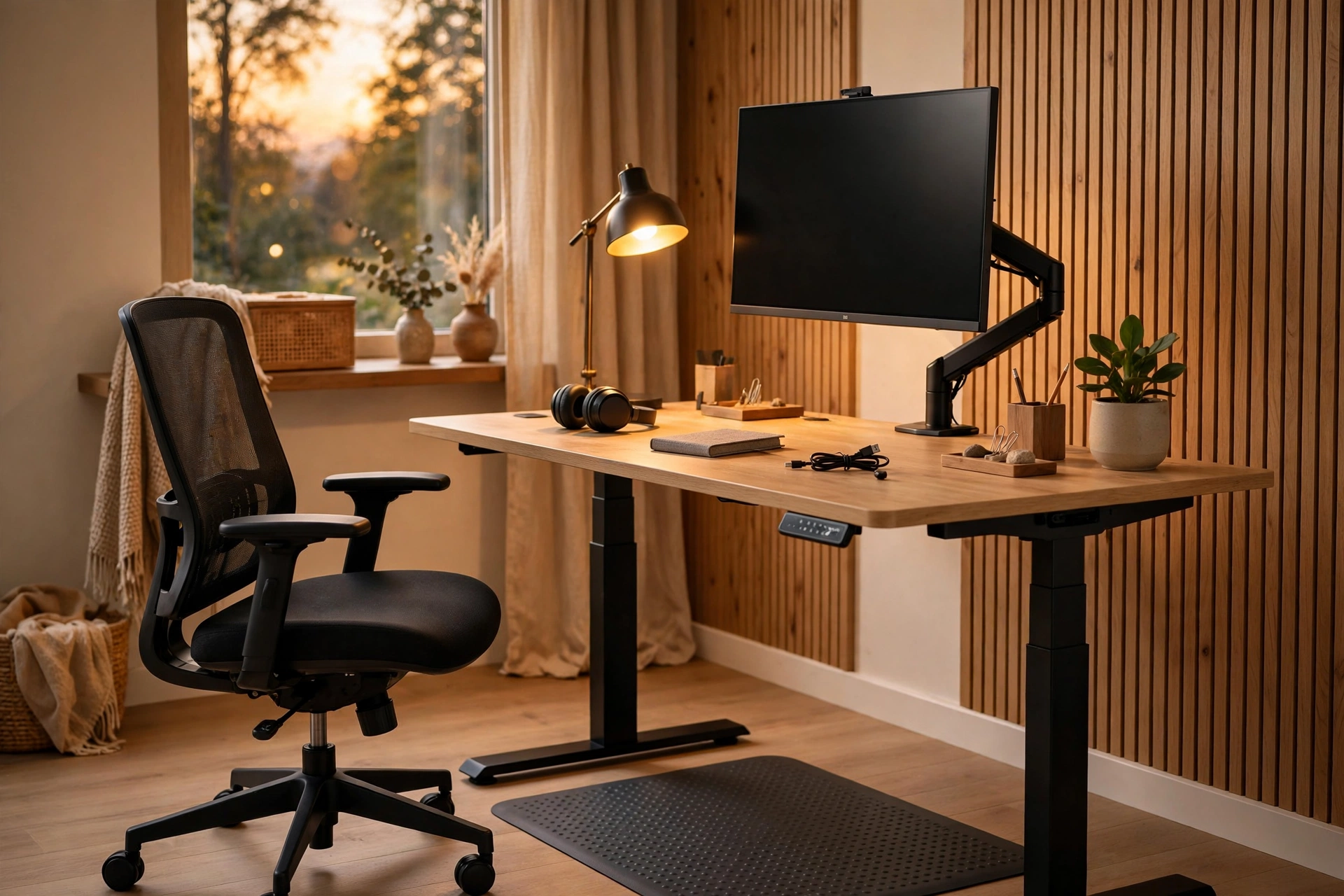
Sitting is not the enemy; sitting motionless for nine hours is. An adjustable-height desk lets you alternate between sitting and standing through the day, and even a modest routine, thirty minutes standing in the morning, another thirty after lunch, breaks up the postural monotony that causes most desk-worker stiffness. Look for a frame that lifts smoothly and quietly, holds your full setup without wobbling at standing height, and remembers at least two height presets so switching takes one button press instead of a fiddly adjustment.
Set it up right or the benefit disappears. Standing, your elbows should rest at about 90 degrees with the screen top at or slightly below eye level, the same geometry as sitting. Pair the desk with an anti-fatigue mat, because standing on a hard floor all morning is its own problem, and keep a stool or your chair nearby so you can perch when you need to.
Products to Consider:
- Electric adjustable-height desk frame
- Anti-fatigue standing mat
- Monitor riser for standing height
9. Add Storage That Actually Works
Home offices drown in stuff that has nowhere to live: chargers, notebooks, reference books, printer paper, tax documents, the mystery cables. The mistake is buying storage before sorting; instead, gather everything the office contains, group it by type, and only then buy containers sized for what you actually own. Closed storage, drawers, cabinets, lidded boxes, hides the visual noise that makes a room feel chaotic, while one open shelf holds the things you reach for daily.
Think in zones. Daily-use items live within arm’s reach of the desk: pens, notebook, charger. Weekly items live in a drawer or nearby cabinet: printer paper, extra cables. Archives live somewhere else entirely: the closet, the garage, a file box in another room, because storing seven years of tax returns within arm’s reach of your keyboard is just expensive real estate for paper. For small offices, a single tall narrow cabinet often beats a wide low one, because vertical storage keeps the floor open and the room breathing.
Products to Consider:
- Tall narrow storage cabinet with doors
- Lidded canvas storage boxes, set of 4
- Desktop drawer organizer tray
10. Warm It Up With Textiles and Color
The reason so many home offices feel sterile is that they are all hard surfaces: desk, screen, chair, floor. Textiles fix that instantly. A rug under the desk and chair anchors the zone and deadens the hollow sound of a bare floor on calls; curtains soften the window wall; a throw over the chair back and one cushion add the warmth that makes you want to walk into the room on a gray morning. This is where the office stops being a workstation and starts being a room, and it is the same principle behind minimalist home decor that still feels inviting, softness layered over clean lines.
Choose a palette the way you would for any room, and do not be afraid of color. Warm neutrals with one deep accent, sage, terracotta, or navy, photograph well on video and keep the room from feeling like an interrogation space. If your taste runs warmer and more textured, the earthy layered look of warm Afrohemian style translates beautifully to an office: woven baskets for storage, a patterned throw, natural wood tones.
Products to Consider:
- Low-pile area rug, 5×7 or 4×6
- Woven storage baskets, set of 2
- Textured throw blanket for chair
11. Turn a Closet Into a Cloffice
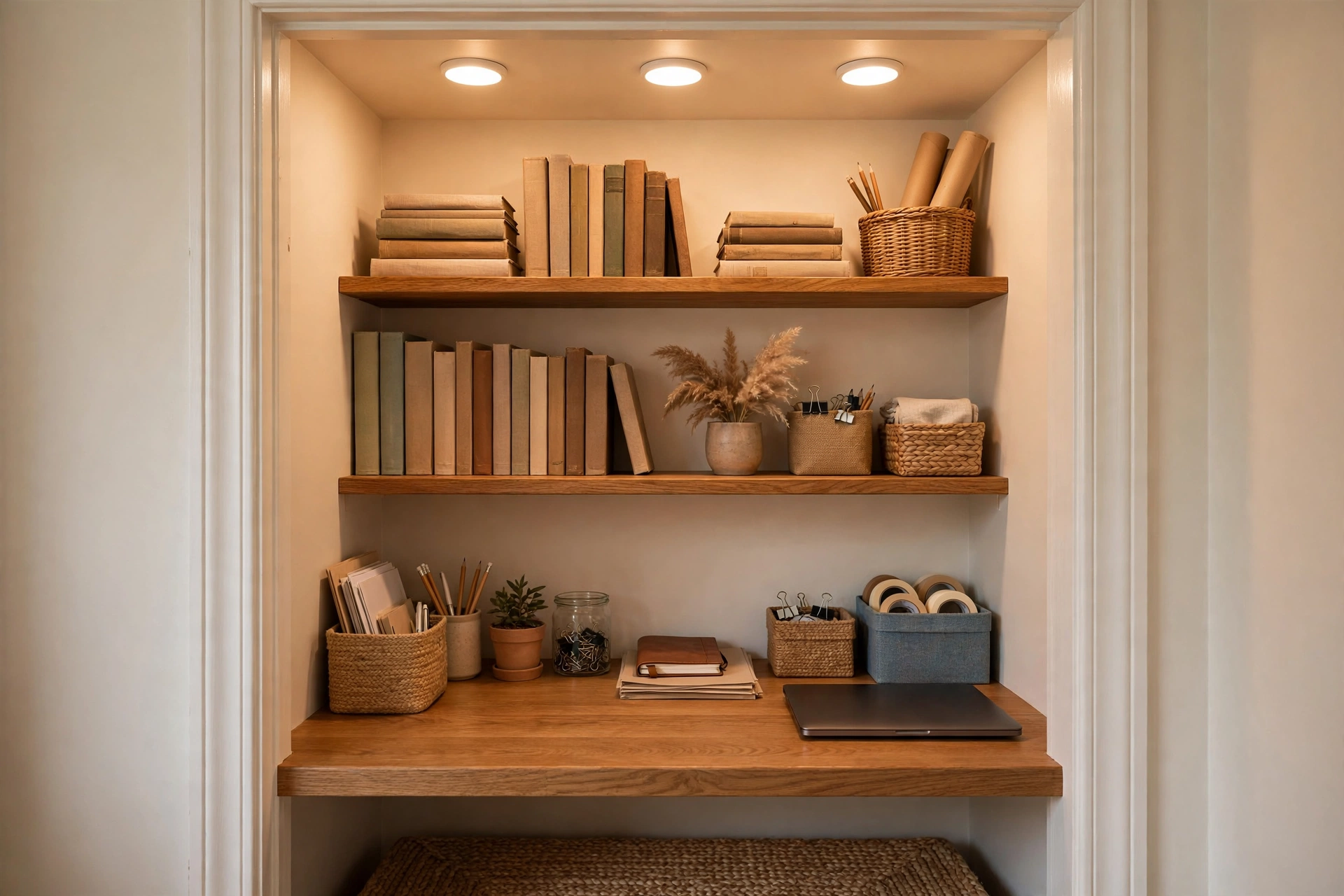
When there is no spare room and no usable corner, look at the closet. A standard reach-in closet, even one just two feet deep, holds a surprising amount of office: remove the doors, add a shelf at desk height across the width, and you have a workspace that closes out of sight at 5 p.m. This is the classic “cloffice,” and it works because it gives your work a genuine boundary, open the doors to start the day, close them to end it, which remote workers consistently say helps them switch off.
Closets need three things added: light, power, and air. Stick-on LED puck lights or a plug-in sconce handle the light; a small power strip run from the nearest outlet handles the power, keeping cords tidy with clips along the inside wall. For air, leave the closet doors off or replace them with curtains so the space breathes, and do not seal yourself in with a sliding door while the laptop heats the space. Paint the interior a lighter color than the room so it does not read as a cave, and mount a shelf above the desk for the printer and supplies.
Products to Consider:
- Stick-on rechargeable LED puck lights
- Solid wood shelf board for desk surface
- Small surge-protecting power strip
12. Add Greenery That Survives Neglect
Plants make an office measurably better to work in: they soften hard edges, clean the air modestly, and give your eyes somewhere living to rest during long screen stretches. The catch is that office plants get forgotten during deadline weeks, so choose plants that forgive you. Snake plants, pothos, and ZZ plants all tolerate low light and irregular watering, and a pothos trailing from a shelf above the desk adds life to your video backdrop with almost zero effort.
Match the plant to the actual light, not the light you wish you had. A north-facing spare bedroom suits low-light champions like snake plants and ZZ plants; a bright south window can host a fiddle-leaf fig or a bird of paradise if you are willing to water weekly. And skip the fussy stuff: an office is not the place for a plant that needs misting twice a day.
Products to Consider:
- Low-maintenance snake plant in pot
- Trailing pothos plant for shelves
- Self-watering ceramic planter
13. Upgrade Your Tech the Smart Way
You do not need the latest everything, but a few targeted tech upgrades pay for themselves in comfort and speed. A monitor arm that clamps to the desk back frees up the entire surface under the screen while putting the display exactly at eye level, which a stack of books never quite achieves. A single docking station means one cable connects your laptop to the monitor, keyboard, and power, so starting the workday is plugging in one plug, and ending it is unplugging one plug.
Prioritize in this order: ergonomics first, then connectivity, then peripherals. An external keyboard and mouse let you raise the laptop screen to eye level, which fixes the most common source of remote-worker neck pain. A decent webcam and a USB microphone transform how you come across on calls, and they matter more than a bigger monitor if you spend your days on video. The goal is a setup that disappears into the work instead of demanding attention.
Products to Consider:
- Single-arm monitor mount, clamp style
- Universal laptop docking station
- Ergonomic wireless keyboard and mouse set
14. Style an Open Bookshelf
A bookshelf is the hardest-working piece of office furniture: storage, display, and video backdrop in one. The mistake is treating it as pure storage and cramming it full. Leave breathing room, roughly a third of each shelf empty or loosely styled, so it reads as designed rather than hoarded. Group books by height or color, stack some horizontally with a small object on top, and mix in plants, a framed photo, and one or two meaningful objects. The result looks intentional on camera and genuinely pleasant in person.
Use the shelf for the unglamorous stuff too, just hidden. Lidded boxes and baskets on the lower shelves swallow chargers, cables, and paperwork while matching the room’s palette, so the storage disappears into the styling. Keep reference books and the things you grab daily at arm height, and push archives and rarely used manuals to the top and bottom shelves where they are out of the visual field.
Products to Consider:
- 5-shelf bookcase with adjustable shelves
- Lidded fabric storage boxes for shelves
- Small potted plant for shelf styling

15. Make Room for Analog Thinking
Not every good idea arrives through a screen. A wall-mounted whiteboard, a cork pinboard, or even a framed sheet of chalkboard paint gives you somewhere to think with your hands: sketch a workflow, map a project, pin the reference images you keep reopening. There is real cognitive science behind this, externalizing a problem onto a big surface frees working memory and lets you see connections a tabbed browser never will. Even in a digital-first job, the analog corner earns its wall space.
Size it to the room and the habit. A full 4-by-6-foot whiteboard is glorious in a dedicated office but absurd in a corner nook, where a 2-by-3-foot board or a framed pinboard does the same job. Mount it where you can stand in front of it, not behind the desk where it becomes decoration. Keep markers, magnets, and pins in a small tray or pouch attached to the board so the tools are always there when the idea hits.
Products to Consider:
- Wall-mounted magnetic whiteboard
- Framed cork pinboard with pins
- Dry-erase marker set with eraser tray
16. Protect Your Eyes and Ears
Eight hours of screen glare and household noise is a genuine occupational hazard of working from home. For your eyes, the 20-20-20 rule is the simplest habit that works: every 20 minutes, look at something 20 feet away for 20 seconds. Set your monitor brightness to match the room rather than blasting at full, enable the night-shift or warm-color mode in the late afternoon, and position the screen so no window or lamp reflects directly in it.
For your ears, noise is the remote worker’s constant companion: dishwashers, leaf blowers, kids, dogs, the neighbor’s renovation. A good pair of noise-canceling headphones is the single best investment for deep work in a busy house, and a closed door plus a “on a call” signal, even just a small sign, does more for meeting quality than any microphone upgrade. Soft furnishings pull double duty here too: the rug, curtains, and upholstered chair from your decorating ideas absorb echo and make the room noticeably quieter on calls, which your colleagues will hear before you do.
Products to Consider:
- Noise-canceling over-ear headphones
- Monitor light bar, no screen glare
- “On a call” door hanger sign
17. Personalize It So You Actually Want to Be There
The final idea is the one most home offices skip, and it is the one that makes all the others stick. A room that reflects you, art you chose, a photo from a trip you loved, a candle with a scent that means “work time,” a mug that is yours and only yours, is a room you will walk into willingly. This is not decoration for its own sake; it is the difference between an office that drains you and one that holds you. You spend more waking hours here than anywhere else in the house. It deserves to feel like yours.
Keep it curated, not cluttered. Pick five to seven personal items and give each one a real place: one large piece of art beats four small frames scattered around, and a single scented candle on the desk beats a collection. And make one of the items functional: a beautiful desk clock, a pen you love writing with, a lamp with a warm glow. When the personal touches do double duty as tools, the room feels both inspiring and honest, which is exactly what a great home office should be, and a few budget-friendly home accents are all it takes to get there.
Products to Consider:
- Large framed art print, personal taste
- Scented soy candle for desk
- Ceramic desk clock, minimal design
Frequently Asked Questions
1. How much space do you really need for a home office?
Less than you think. A laptop-based setup works in about 15 square feet: a floating desk, a chair, and a shelf. For a full dual-monitor setup with storage, plan on 40 to 50 square feet, roughly a 6-by-8-foot zone. The real constraint is rarely floor space, it is boundaries. A small, well-defined corner you can leave at 5 p.m. outperforms a sprawling desk in the living room that you can never escape.
2. What is the best desk placement in a home office?
Beside or facing a window is the best general choice: you get natural light on your work and a view that rests your eyes, without direct sun washing out your screen. Avoid facing a bare wall if you can, since it feels confining over a full workday, and avoid sitting with your back to the door in a shared house, where every footstep becomes a distraction. If the room forces a compromise, a good lamp and a pleasant backdrop matter more than perfect placement.
3. How do I set up a home office in a small apartment?
Claim a defined zone rather than spreading work across the apartment. A floating desk in a corner, a closet converted into a cloffice, or a narrow console desk against a living room wall all work. Keep the footprint tight, store vertically with shelves, hide cables from day one, and give the zone a visual boundary, a rug or an accent wall, so the apartment still feels like home when the laptop closes.
4. What lighting is best for a home office?
Layered lighting: a ceiling or floor light for the room, an adjustable desk lamp for the work surface, and a warm accent for atmosphere. Keep bulbs between 3000K and 4000K for alert, comfortable work light, place the desk lamp opposite your writing hand, and make sure your face is lit for video calls, ideally by a window in front of you or a daylight bulb behind the monitor. Avoid a single harsh overhead as your only source.
5. How can I make my home office look good on video calls?
Build the backdrop deliberately using your camera preview: a clean wall with two or three curated elements, like framed art and a plant, beats a busy shelf. Light your face so the background is slightly dimmer than you, keep clutter out of the frame, and avoid busy patterns directly behind your head. A folding screen or large plant creates an instant professional backdrop in shared rooms and folds away when the day ends.
Final Thoughts
A great home office is not the most expensive one or the prettiest one. It is the one that fits your body, your work, and your home at the same time: a chair that does not hurt, light that does not strain, storage that keeps the chaos out of sight, and enough of your personality that walking in on a Monday morning feels like arriving, not reporting. Start with the fundamentals, ergonomics, lighting, and desk placement, then add the layers that make it yours: textiles, plants, a backdrop you are proud of. You do not need to do all seventeen ideas this weekend. Pick the two that would change your daily experience the most, do them properly, and let the rest follow. Your workdays are too long to spend them in a room you merely tolerate.